
Product data is SEO data
Titles, descriptions, variants, media, availability, reviews, schema and internal links all help search engines and shoppers understand the product.
Images matter twice
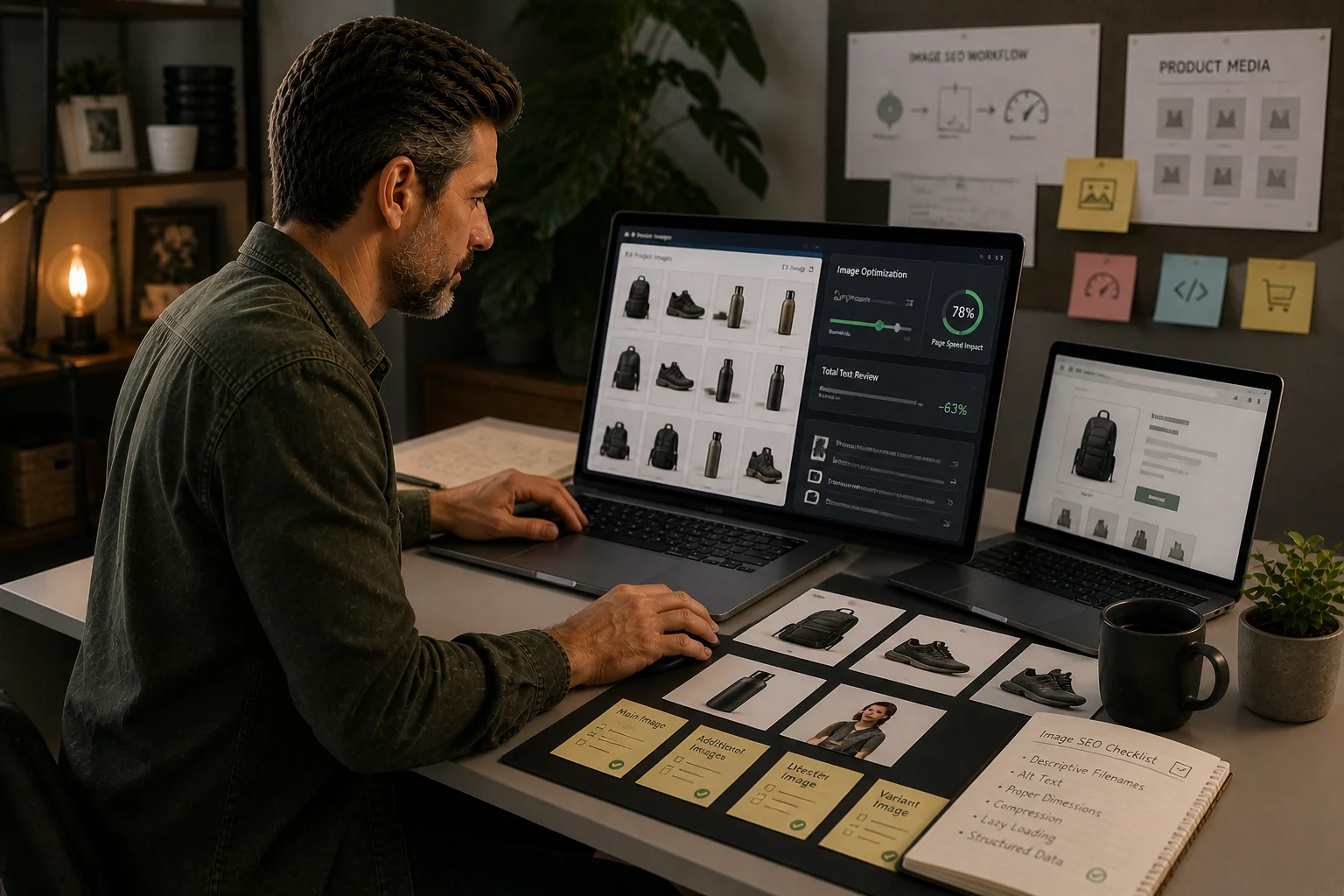
Product images affect speed and image discovery. Image-heavy stores need a process for compression, filenames, alt text and metadata.
Internal linking
Product pages should support collections and related products rather than sitting as isolated catalogue entries.
Product pages are not mini collection pages
A Shopify product page has one job: prove that this specific product is the right choice for the right buyer.
That sounds simple, but many product pages are weak because they are built from admin fields rather than from buying evidence. The title exists. The price exists. The image exists. A description exists. Variants exist. But the page still does not answer the questions a real shopper has before buying.
That weakness affects more than conversion. It affects SEO because search engines need to understand what the product is, how it differs from nearby products, what data supports it, and how it fits into the store’s wider category structure.
The common failure pattern looks like this:
- product titles are vague or overstuffed;
- descriptions repeat supplier copy;
- variants are unclear;
- product images do not show enough detail;
- important specs live in images or tabs that are hard to parse;
- reviews are thin or disconnected;
- structured data conflicts with visible content;
- internal links do not connect the product back to the right collection;
- discontinued products are deleted without a URL decision.
This guide is not about padding product pages with more text. It is about making each priority product page a stronger evidence file.
If the wider category structure is weak, start with Shopify collection page SEO. If product images are the main problem, use the Shopify image SEO checklist. If product pages are isolated, review Shopify internal linking.
Know when a product page should rank
Not every product page should be expected to rank for broad category terms.
A collection page is usually the better match for searches like:
- “women’s running shoes”;
- “ceramic plant pots”;
- “waterproof jackets”;
- “replacement fridge filters”.
A product page is usually the better match for searches like:
- a specific brand and model;
- a SKU or part number;
- a compatibility query;
- a product name;
- a long-tail feature query;
- a comparison between specific variants;
- a final-choice search where the shopper knows the product.
When a product page and collection page chase the same query, both can become weaker. The collection should normally capture the broader category demand, while the product page proves the individual item inside that category.
| Search intent | Better landing page | Reason |
|---|---|---|
| “trail running shoes” | Collection | Shopper wants a range to compare. |
| “brand x trail shoe model y” | Product | Shopper is evaluating one product. |
| “waterproof walking boots size 9” | Collection or filtered collection | Shopper needs narrowed range. |
| “replacement filter ABC123” | Product | Shopper needs a specific compatible item. |
| “best shoes for muddy paths” | Guide + collection links | Shopper needs education before shopping. |
The first product-page SEO decision is therefore not “what keywords should we add?” It is “what demand should this product page actually own?”
Build the page around product evidence
A strong product page answers the questions a buyer would ask if they were holding the product in a shop.
Use this evidence checklist:
| Evidence area | What the page should make clear |
|---|---|
| Product identity | Exact product name, type, model, brand and variant. |
| Fit or compatibility | Sizes, dimensions, supported models, requirements or restrictions. |
| Materials/specs | What it is made from and what that means for use. |
| Use case | Who the product is for and when it should be used. |
| Differentiation | How it differs from nearby products. |
| Trust | Reviews, warranty, returns, delivery, guarantees or support. |
| Visual proof | Images that show scale, detail, variants and real use. |
| Availability | Stock, delivery timing and alternative options. |
The page does not need to become an essay. It needs to remove uncertainty.
Weak product copy says:
This stylish waterproof jacket is perfect for outdoor adventures and made from high-quality materials.
Stronger product copy says:
This lightweight waterproof jacket is built for wet commutes and weekend walks. It has a taped-seam shell, adjustable hood, two zipped pockets and packs into its own pocket for travel.
The second version gives evidence. It helps the shopper and supports search understanding.
Use product titles for clarity, not stuffing
Product titles should be precise enough to identify the item without becoming unreadable.
A good title often includes:
- brand;
- product name or model;
- product type;
- important variant or compatibility detail if needed.
Weak title:
Best Waterproof Jacket Rain Coat Outdoor Hiking Walking Lightweight Breathable Men Women
Stronger title:
North Ridge Lightweight Waterproof Walking Jacket
For products where compatibility matters, include the exact model or part number if shoppers search for it.
For products where style matters, keep the title readable and let collection pages, filters and product details carry the broader modifiers.
The title should help a human identify the product quickly. That is usually better SEO than trying to force every possible query into one field.
Write descriptions that help the final decision
A product description should not repeat the collection page. It should explain why this product is the right one.
Good product descriptions often include:
- a short plain-English summary;
- key benefits tied to real use;
- specifications or sizing;
- variant guidance;
- what is included;
- care, compatibility or installation notes;
- trust and delivery reassurance;
- answers to common pre-purchase questions.
For a simple product, that can be short. For a technical, expensive, regulated, compatibility-led or fit-sensitive product, it needs more substance.
Manufacturer descriptions can be a starting point, but they should not be the final copy for priority products. Supplier copy is often duplicated across retailers, vague, or written for trade buyers rather than shoppers.
A practical test: if a customer service team keeps answering the same product question, the product page probably needs that answer.
Handle variants carefully
Variants can help shoppers choose, but they can also create confusion.
Common variant issues include:
- colour names that do not match images;
- size options with no sizing guidance;
- variant images not changing correctly;
- discontinued variants still appearing without explanation;
- multiple products created when one variant product would be clearer;
- one product page trying to cover variants that deserve separate pages;
- variant-specific specs hidden or missing.
The right setup depends on how shoppers search and compare.
If the variant is a simple colour or size choice, one product page may work well. If each variant has different demand, specifications, compatibility or use cases, separate product pages or dedicated collection support may be better.
The SEO question is: does this page clearly represent the thing the shopper searched for?
Product media is not decoration
Images and video are product evidence.
A strong Shopify product page usually needs more than one clean studio image. Depending on the product, useful media can include:
- front, side and back views;
- scale or in-use images;
- close-up material/detail shots;
- variant-specific images;
- packaging or included accessories;
- compatibility or installation visuals;
- short video where movement, fit or setup matters.
Image SEO is not only file compression. It is clarity.
Alt text should describe the image in a way that helps accessibility and understanding. It should not be a list of keywords.
Weak alt text:
best waterproof jacket waterproof jacket mens jacket raincoat buy online
Stronger alt text:
Navy waterproof walking jacket with adjustable hood and zipped front pockets
If the catalogue is image-heavy, create a repeatable image process. Use the Shopify image SEO checklist before adding another image app.
Make structured data match reality
Product structured data can support search understanding, but only if it matches the visible product and store data.
Check that product schema output matches:
- product name;
- image;
- brand;
- SKU;
- GTIN/barcode where available;
- price;
- currency;
- availability;
- variant or offer data;
- review/rating data where valid;
- product URL.
Problems often come from themes and apps both outputting schema. A store can end up with duplicate, conflicting or stale product structured data.
Do not treat schema as a magic ranking layer. Treat it as a consistency check. If visible product information, feed data, structured data and Shopify admin data disagree, fix the source of truth.
Use reviews and questions as product evidence
Reviews can help product pages because they reveal the language and concerns of real buyers.
Useful review patterns include:
- fit and sizing comments;
- compatibility confirmations;
- durability or use-case feedback;
- delivery and packaging reassurance;
- comparison with previous products;
- objections that were overcome.
Do not fabricate or overstate review signals. If reviews are thin, use customer questions, support tickets and return reasons as evidence for improving the product page.
For example, if customers keep asking whether a part fits a specific model, add a compatibility section. If returns happen because sizing is misunderstood, improve size guidance. If buyers praise a use case, reflect that in visible copy.
Good product SEO often starts with customer service evidence.
Link product pages back into the store
A product page should not be a dead end.
Useful internal links include:
- parent collection;
- related collections;
- compatible products;
- accessories;
- replacement parts;
- buying guides;
- care or installation guides;
- alternatives if the product is out of stock.
Do not rely only on automated “related products” blocks. They can help, but they often lack context.
A manual link such as “Need this for a different model? Browse all replacement filters” can be more useful than a carousel of loosely related items.
Internal linking also helps collections. If priority products link back to the right collection or guide, the store becomes easier to navigate and easier to understand.
Treat out-of-stock and discontinued products as SEO decisions
Do not automatically delete product pages when stock changes.
First decide what kind of product it is:
| Product situation | Better action |
|---|---|
| Temporarily out of stock, likely to return | Keep page live with clear availability and alternatives. |
| Permanently discontinued with traffic or backlinks | Keep with replacement guidance or redirect to best alternative. |
| No demand, no links, no sales history | Consider removal with a redirect decision if needed. |
| Variant out of stock | Keep product live if other variants remain useful. |
| Seasonal product | Keep page if demand returns and the page has history. |
Deleting valuable product URLs can waste search equity, especially after migrations or catalogue changes.
If you remove a product, decide whether the best destination is:
- a direct replacement product;
- the parent collection;
- a guide explaining alternatives;
- a 404/410 only if there is genuinely no useful replacement.
Prioritise product pages before editing the catalogue
Large Shopify stores cannot manually polish every product at once.
Start with products that have:
- high revenue;
- high margin;
- stable stock;
- Search Console impressions;
- strong collection importance;
- poor conversion despite traffic;
- repeated support questions;
- important compatibility or variant detail;
- backlinks or historical rankings;
- migration risk.
Build a product audit sheet that captures the essentials without becoming a giant spreadsheet.
For each important product, record:
- product URL and parent collection;
- revenue priority and stock status;
- Search Console impressions;
- product evidence gap;
- media gap;
- schema or feed issue;
- fix priority.
Example:
- Product:
/products/example - Collection: Trail Running Shoes
- Priority: High revenue, in stock, medium impressions
- Evidence gap: weak sizing detail
- Media gap: missing variant image
- Schema/feed issue: none found
- Fix priority: P1
This makes product SEO manageable.
If you want a simpler printable review before editing product copy, use the Product Evidence Field Sheet.
A practical product-page improvement sequence
Use this sequence for priority products.
Step 1: Confirm the product’s role
Decide whether the page should target brand/model demand, compatibility demand, long-tail feature demand or simply support a collection.
Step 2: Check product data
Review title, handle, vendor, product type, category, variants, SKU, barcode/GTIN, metafields, price and availability.
Step 3: Improve visible evidence
Add or rewrite copy so the page answers real pre-purchase questions.
Step 4: Review images and media
Check whether images show the product clearly, support variants and explain important details.
Step 5: Check structured data
Validate product schema and look for duplicate/conflicting app or theme output.
Step 6: Improve internal links
Connect the product to the right collection, guide, accessories, alternatives and related products.
Step 7: Review metadata
Write a title and description that match the product’s real search role.
Step 8: Measure after changes
Track traffic, product-page engagement, add-to-cart behaviour, conversion, query movement and collection support.
Common product-page mistakes
The most common mistakes are avoidable:
- trying to make every product rank for broad category terms;
- using manufacturer descriptions unchanged;
- hiding critical specs in images;
- using vague product titles;
- letting variants confuse the main product offer;
- uploading many images without useful alt text or performance checks;
- assuming schema is correct because an app outputs it;
- deleting discontinued products without redirect decisions;
- isolating products from collections and guides;
- measuring product SEO only by rankings rather than revenue and conversion support.
A better product page is usually clearer, not longer.
What a strong product page feels like
A strong Shopify product page gives the buyer confidence.
The product is easy to identify. The variants make sense. Images answer visual questions. Specs are visible. Reviews and support information reduce risk. Internal links help the shopper compare or continue. Structured data, product feed information and visible content tell the same story.
That is what product-page SEO is really about.
It is not writing more words around a product. It is making the product easier to understand, easier to trust and easier to buy.
Use the Product Evidence Field Sheet, then connect product fixes back to the collection SEO guide so the store improves as a system rather than a set of isolated product edits.
Quick answer
Optimise Shopify product pages by improving evidence: exact product facts, variants, availability, media, reviews, schema, delivery/returns trust and links back into the right collection path.
What you will do
- Turn thin imported products into useful commercial pages.
- Avoid product schema, variant and discontinued-product mistakes.
- Use product pages to support collections as well as exact-product searches.
What to check first
- Shopify product admin, metafields and media library.
- Search Console product-page queries.
- Crawler export for titles, H1s, canonicals and internal links.
- Rich Results Test or schema validator.
- TinyIMG or native image handling for large image sets.
Work through it in this order
- Prioritise products by organic demand, revenue, margin, backlinks, stock and strategic value.
- Check title, H1, handle, meta description, product type, vendor, tags and metafields.
- Rewrite product copy around specifications, use cases, compatibility, sizing, materials, care, delivery and returns.
- Review variants so colour, size or bundle options do not create confusing URLs, duplicate titles or unavailable primary options.
- Compress images and write useful alt text at scale for priority products.
- Validate product schema, price, availability, reviews and breadcrumb output in the rendered page.
- Link the product back to the strongest parent collection and related buying guides.
Real-world notes
- Imported supplier descriptions often create duplicate product pages across many stores. Add store-specific evidence and buying guidance.
- Variant handling can make the first visible option unavailable or weak, which hurts both conversion and perceived page quality.
- Product schema conflicts often come from themes, review apps and SEO apps all trying to describe the same product.
Final checks
- Priority product selected by evidence.
- Unique product title and meta reviewed.
- Specifications and use cases added.
- Variant behaviour checked.
- Images compressed and alt text reviewed.
- Product schema validated.
- Breadcrumbs checked.
- Parent collection and related guide links added.
Watch-outs
- If a product is discontinued but has traffic or backlinks, redirect to the replacement product or closest useful collection rather than leaving a hard 404.
- If variants have separate search demand, decide whether they need dedicated products or collection support instead of relying on one variant selector.
- If stock sync unpublishes products, monitor priority URLs so important pages do not disappear without redirect decisions.
Fix priority products after collection architecture is clear, then use the image SEO and internal linking guides to strengthen the template.
Field questions
Can Shopify product pages rank in SEO?
Yes, especially for product names, specific models, variants and detailed product searches. But many product pages should support collections rather than trying to rank for broad category terms.
What should a Shopify product page include for SEO?
Include clear product data, specifications, variants, availability, useful media, reviews or trust signals, delivery information, structured data and links back to the right collection.
Is supplier copy bad for Shopify SEO?
Supplier copy is often too generic and duplicated across retailers. Add original evidence, clearer specifications and buying context where the product page matters.
How should product pages link internally?
Product pages should link to parent collections, related products, guides and comparison content where those links help shoppers continue the decision.