
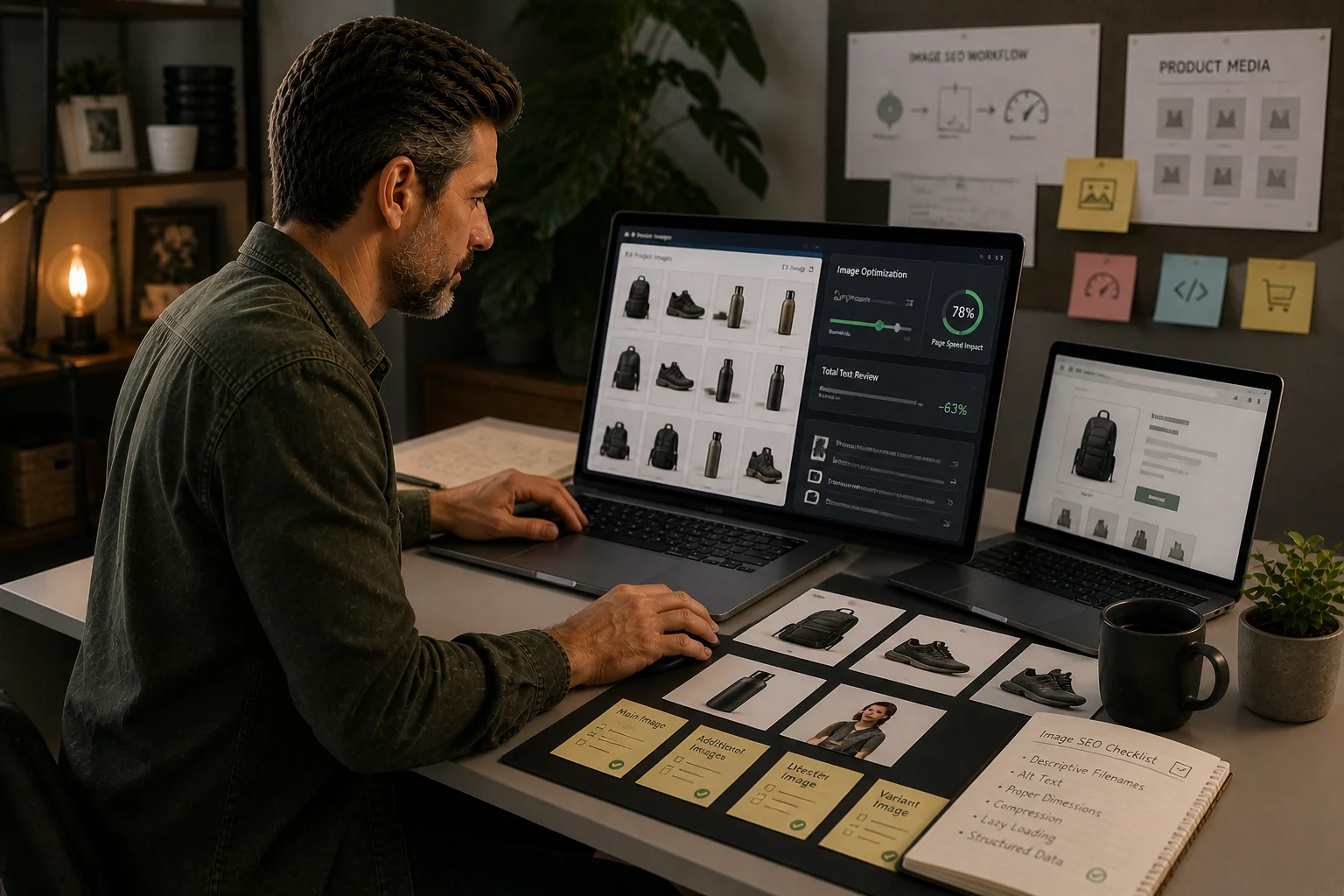
Image SEO starts before upload
Product media should have sensible filenames, useful alt text, appropriate dimensions, compression and a consistent process for variants.
Images affect speed and discovery
Heavy images slow pages. Weak metadata reduces image search clarity. Both matter for product-heavy Shopify stores.
Tool fit
TinyIMG can support the image process, but the store still needs rules for image naming, alt text and QA.
Most Shopify image SEO advice starts in the wrong place.
It jumps straight to compression, file names and alt text. Those matter, but they are not the full problem for a product-heavy store.
A weak product gallery can make a good product page feel thin. A slow hero image can drag down the first impression of a collection. Duplicated manufacturer images can make your catalogue look interchangeable. Missing variant images can confuse shoppers before they ever read the description.
Image SEO on Shopify is not just about making files smaller. It is about making images useful evidence.
This checklist is for stores where images influence both search visibility and buying confidence: fashion, furniture, homeware, beauty, jewellery, food, equipment, parts, gifts and any catalogue where customers need to see details before they trust the product.
Use it to decide what to fix manually, what to standardise, and when an image app is actually worth testing.
The image problem to diagnose first
Before editing images, decide which problem you actually have.
Most Shopify stores fall into one of these groups:
- The media library is heavy. Product and collection images are large, inconsistent and slowing key pages.
- The images are not descriptive. Alt text and filenames do not explain what the image shows.
- The product evidence is weak. Pages have one or two generic photos when shoppers need detail, scale or use-case images.
- Variants are unclear. Colour, size, material or finish variants do not have matching imagery.
- Collection visuals are decorative. Hero images look nice but do not help the page answer the shopper’s intent.
- The store relies on duplicated supplier images. Many products look the same as competing stores.
- An app has been installed without a control sheet. Compression or metadata changes are happening, but no one knows what changed.
The right fix depends on which problem is costing you money.
If product pages are thin, compression will not make them persuasive. If the site is slow, rewriting alt text will not solve the speed issue. If variants are confusing, renaming files is not enough.
Start with the pages that matter
Do not try to clean every image in the store at once.
Build a sample set first:
- top organic landing collections
- top revenue collections
- top organic product pages
- products inside your most important collections
- slow templates from PageSpeed or Core Web Vitals checks
- recently imported products
- products with high views but low conversion
- discontinued or duplicate products that still receive traffic
For each URL, record the page type, product/collection priority, number of images, largest image, main image quality, alt text quality, variant coverage and whether an app has touched the images.
This keeps image SEO tied to real commercial pages instead of becoming a media-library tidy-up project.
Product images should prove the product
A product page needs images that answer the questions a shopper would ask before buying.
For a high-priority product, check whether the gallery shows:
- the product clearly on a clean background
- close-up details that matter
- scale or size context
- variants such as colour, finish, size or material
- use-case or lifestyle context where relevant
- packaging, contents or included parts where relevant
- texture, fit, finish or compatibility details
- anything that reduces returns or support questions
A product page with one supplier image and a short description is rarely strong evidence. It might be technically optimised, but it is still weak.
The SEO question is not only “does this image have alt text?” It is also “does this page give Google and the customer enough evidence to understand and trust the product?”
Alt text should describe the image, not stuff keywords
Good alt text is short, specific and useful.
Weak alt text:
running shoes
Better alt text:
Black waterproof trail running shoe with deep grip sole
Weak alt text:
sofa
Better alt text:
Three-seat green velvet sofa with wooden legs in living room
Do not write alt text like a keyword list. Do not repeat the same phrase across every image. Do not use alt text to force collection keywords onto every product image.
Use different alt text for different image roles:
| Image type | Alt text approach |
|---|---|
| Main product image | describe product, colour/material/type |
| Detail image | describe the detail shown |
| Lifestyle image | describe product in context |
| Variant image | describe variant accurately |
| Decorative image | leave empty where appropriate |
| Collection hero | describe the collection visual, not every product |
If an image is purely decorative, it does not need keyword-focused alt text.
Filenames help the team more than rankings
Clean filenames are still useful, especially before upload.
Use filenames that help a human understand the asset:
black-waterproof-trail-running-shoe-side.jpgoak-dining-table-six-seater-detail.jpgsilver-chain-necklace-clasp-closeup.jpg
Avoid:
IMG_4829.jpgproduct-final-final-2.jpgseo-keyword-best-cheap-running-shoes-sale.jpg
The main benefit is operational: better file naming helps your team manage assets, match variants and avoid uploading duplicates. Do not oversell filenames as a magic ranking factor.
Collection images should support the collection promise
Collection hero images often look polished but say very little.
A good collection image should help the shopper understand what the collection contains and whether they are in the right place.
For a collection such as “women’s waterproof walking boots”, the hero image should support that promise. A generic outdoor lifestyle photo might look good, but it may not help the page feel specific enough.
Check:
- does the image match the collection intent?
- does it show the product type clearly?
- does it make the page feel more trustworthy?
- is it slowing the page?
- is it repeated across multiple collections?
- does it support the intro copy and product grid?
If several collections share the same generic hero image, they will feel less distinct.
Variant images are conversion evidence
Variant images are easy to overlook because Shopify can technically sell the product without them.
But for shoppers, variants are often the decision.
Check products where variants matter:
- colour
- finish
- material
- size
- pack quantity
- compatibility
- pattern
- scent/flavour
- bundle contents
If a variant can be selected but not seen clearly, the product page is asking the customer to guess.
For SEO, unclear variants can also weaken product understanding. The page may technically contain the variant data, but the visible evidence is poor.
Image size and speed checks
Do not judge image SEO only inside Shopify admin. Check the live rendered page.
For priority pages, test:
- largest visible image on mobile
- whether hero images are oversized
- whether product grid thumbnails are heavier than needed
- whether lazy loading behaves sensibly
- whether app scripts affect the page
- whether images shift layout while loading
- whether the page still looks sharp after compression
Use PageSpeed or Core Web Vitals checks as evidence, but do not blindly chase a score. A product page can be fast and still weak. A visually rich product page can be worth the weight if the images help conversion.
The goal is not the smallest possible image. The goal is the right image, at the right quality, loaded responsibly.
Where TinyIMG or an image app can help
An image app can be useful when the store has repeated image-management problems.
It may help with:
- bulk compression
- oversized image cleanup
- alt text support
- metadata support
- recurring checks
- large catalogue maintenance
But an app cannot decide whether the product photography is persuasive. It cannot know which images prove the product. It cannot fix a weak gallery strategy.
Before installing or expanding an app, use a small test:
- choose 10 to 20 priority URLs
- record baseline image size, page speed and visual quality
- run the app on a controlled set
- compare compression and appearance
- check live pages, not only app reports
- record any metadata changes
- confirm the changes are reversible or at least understood
If the store is already app-heavy, treat another image app as a decision, not a default.
The practical checklist
Use this order.
1. Build the image audit sample
Record:
- URL
- page type
- priority
- product or collection name
- number of images
- largest image
- main image quality
- alt text status
- variant image status
- page speed concern
- action owner
- action status
2. Fix obvious product evidence gaps
For priority products, add or improve:
- main product image
- detail images
- variant images
- scale/use images
- packaging or contents images
- close-ups that answer real questions
3. Clean alt text by page role
Do not bulk-fill everything with the same phrase.
Write alt text that describes the visible image. Start with priority products and collections.
4. Review collection visuals
Check whether collection hero and grid images support the search intent. Replace generic or repeated visuals where the collection is commercially important.
5. Check performance on real pages
Test mobile URLs. Look for oversized heroes, heavy product grids and layout shifts.
6. Decide whether tooling is justified
Use native Shopify controls first. Test an app only where manual maintenance is clearly unrealistic.
7. Add image QA to new product uploads
The long-term fix is process. Every new product upload should include image quality, alt text, variant coverage and size checks.
Common mistakes
Avoid these:
- compressing images before fixing weak product galleries
- using the same alt text across every image
- treating supplier images as enough
- ignoring variant images
- using one generic collection hero everywhere
- installing an app without measuring before and after
- judging success only by image size
- rewriting alt text for thousands of low-priority products before fixing the pages that matter
A 30-day image SEO plan
Week 1: Diagnose
Create the sample set. Identify slow pages, thin product galleries and missing variant images.
Week 2: Fix priority products
Improve image evidence on products that support important collections or already receive traffic.
Week 3: Fix priority collections
Improve collection visuals, hero images and above-grid support where commercial intent is strongest.
Week 4: Decide the image process
Choose whether native Shopify processes are enough or whether an image app is justified. Document the upload standards for future products.
What good looks like
A strong Shopify image process does not feel like a one-off clean-up.
It means:
- important products have persuasive galleries
- variants are visible
- collection imagery matches search intent
- alt text describes real images
- image files are not unnecessarily heavy
- app changes are measured
- future uploads follow a standard
That is when image SEO starts supporting both search visibility and buying confidence.
Quick answer
Tools should be chosen only after the job is clear. A good tool reveals a decision, removes repeat work or reduces migration and SEO risk.
What you will do
- Avoid app bloat.
- Match Shopify-native controls, image handling tools, research tools and WordPress bridge tools to the right job.
- Create a testing standard before recommending or installing tools.
What to check first
- Shopify native controls before apps.
- Research tools for audit and competitor processes.
- TinyIMG for image-heavy Shopify stores.
- Rank Math and Elementor only for WordPress-side migration context.
- App Bloat Scorecard for tool governance.
Work through it in this order
- Name the problem the tool must solve.
- Check whether Shopify or the current theme already handles it.
- Estimate how often the work repeats and who owns it.
- Test the output on one page type before changing the whole store.
- Record scripts, theme changes, data access, cost and removal risk.
- Keep the tool only if the result is measurable and maintainable.
Real-world notes
- SEO apps often overlap with native Shopify features. The overlap is where maintenance confusion starts.
- A tool that adds JavaScript to every page should earn its place.
- The best commercial recommendation is the one that solves the reader’s constraint, not the one with the loudest affiliate programme.
Final checks
- Problem named.
- Native alternative checked.
- Test page chosen.
- Output verified.
- Performance impact reviewed.
- Owner assigned.
- Removal risk understood.
Watch-outs
- If the store has a custom theme, test app output on staging before installing on live.
- If image handling is the real bottleneck, use an image tool rather than a broad SEO plugin.
- If keyword data is needed, use SEO software; do not expect a Shopify app to replace research.
Use the App Bloat Scorecard before installing or recommending another app.
Field questions
What matters most for Shopify image SEO?
The most important checks are useful product images, descriptive alt text, compressed files, clean filenames, mobile performance and making sure key images support the page’s buying decision.
Should Shopify alt text include keywords?
Alt text should describe the image accurately. Keywords are useful only when they naturally describe the product, feature, material or context shown in the image.
Can image SEO improve Shopify rankings?
It can support rankings indirectly by improving page quality, accessibility, image search eligibility, speed and product evidence, especially on image-heavy stores.
When should image SEO tools be used?
Use tools when the image process is too large to manage manually, but check native Shopify controls and theme performance before adding another app.