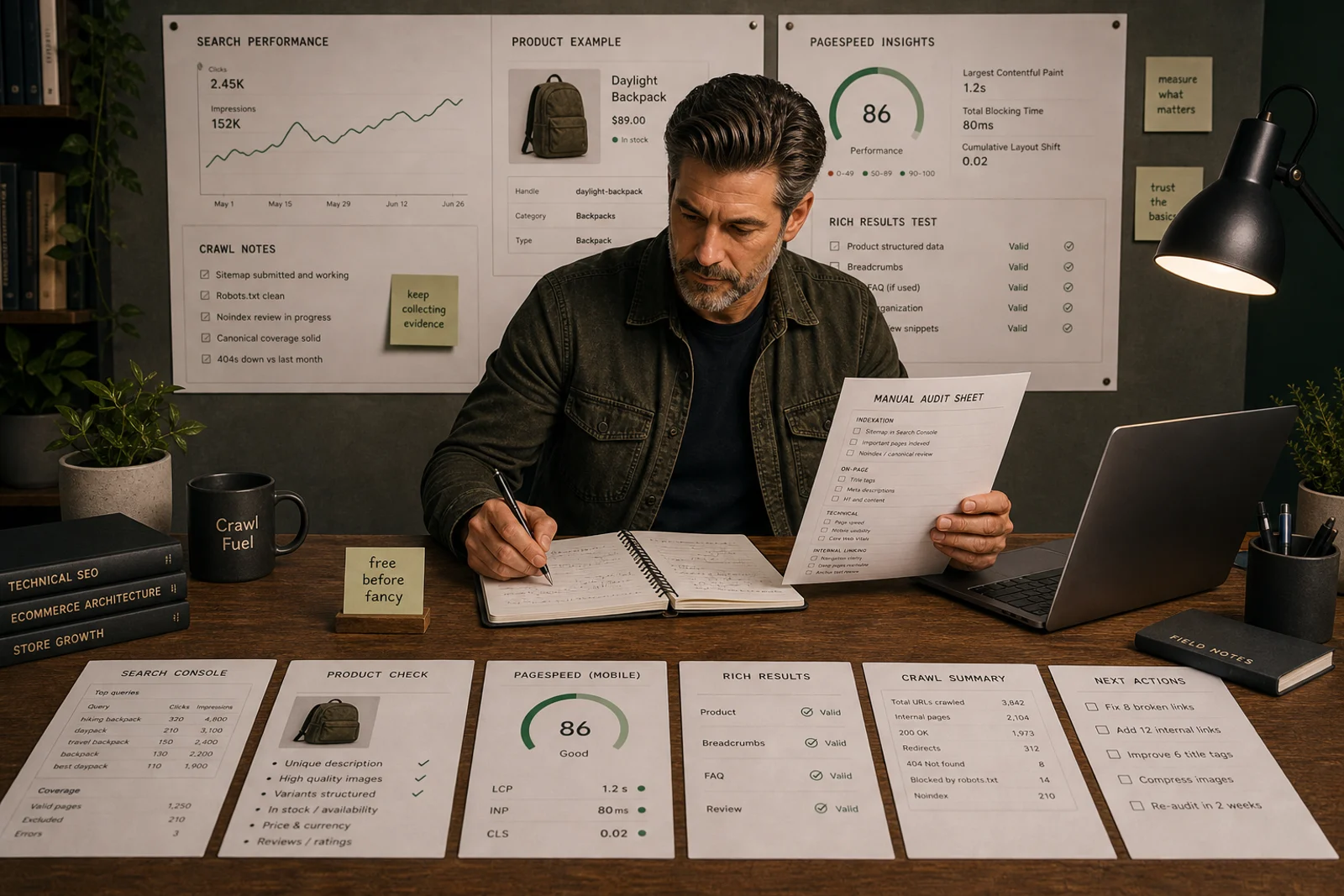
Free tools are enough to diagnose many Shopify SEO problems
Search Console, Shopify admin, GA4, PageSpeed Insights, Rich Results Test and manual page review can identify many issues before a paid app is justified.
Start with the decision
A tool is useful only when it helps you decide what to fix next. If the question is unclear, the report will be unclear too.
Paid tools come later
Use paid tools when the free evidence proves a recurring operational gap, not because the store feels vaguely under-optimised.
Start with free evidence before paid tools
Most Shopify stores do not need another tool first.
They need a clearer question.
Free tools can already show whether the problem is visibility, indexing, page quality, speed, structured data, tracking, internal links or migration risk.
Paid tools can be useful later. But if a store cannot explain what the tool should help decide, the tool usually becomes another dashboard nobody acts on.
This guide gives you the free tool stack to use before installing another app.
1. Google Search Console
Use Search Console to understand how Google sees the store.
Check:
- queries;
- pages;
- impressions;
- clicks;
- average position;
- indexing status;
- sitemap reads;
- canonical signals;
- page experience signals where available.
Best for:
- finding pages with impressions but weak clicks;
- spotting query/page mismatches;
- checking whether priority pages are indexed;
- diagnosing traffic drops;
- identifying early non-brand opportunities.
Search Console does not show everything, but it is the closest free source to Google’s search evidence.
2. Shopify admin
The Shopify admin is an SEO tool when you use it properly.
Check:
- product titles;
- collection names;
- search engine listing fields;
- URL handles;
- redirects;
- product media;
- alt text;
- product status;
- collection rules;
- navigation;
- theme content sections.
Many Shopify SEO issues are visible in the admin before you open any external tool.
If product data is weak in Shopify, it will probably be weak everywhere else too.
3. GA4 and Shopify analytics
Use analytics to understand what search traffic does after the click.
Check:
- organic landing pages;
- engagement;
- conversion events;
- revenue where reliable;
- page type performance;
- device differences;
- post-migration changes;
- checkout flow changes.
Do not diagnose SEO from GA4 alone. Tracking can break. Consent can shift. Attribution can change.
Compare GA4 with Shopify analytics where possible before making big conclusions.
Use Shopify SEO revenue by page type if reporting is currently too blended.
4. PageSpeed Insights
Use PageSpeed Insights to identify performance issues that affect real users and technical quality.
Check:
- Core Web Vitals;
- mobile performance;
- large images;
- unused JavaScript;
- app scripts;
- layout shifts;
- theme output.
Do not chase a perfect score for its own sake. A faster store is useful, but speed work should be prioritised by affected page type and commercial importance.
If the issue is image-heavy pages, use the Shopify image SEO checklist.
5. Rich Results Test
Use Google’s Rich Results Test to check structured data.
For Shopify stores, check:
- product schema;
- price;
- availability;
- images;
- breadcrumbs;
- article schema;
- duplicate schema from apps;
- mismatches between visible content and structured data.
Structured data should describe the page accurately. It should not be a second version of the page that tells a different story.
6. Manual crawl sample
Even without a paid crawler, you can manually sample URLs.
Create a small set:
- 10 priority collections;
- 10 priority products;
- 5 guides or pages;
- 5 old migrated URLs;
- 5 filtered/tag URLs;
- homepage and main navigation paths.
For each, check:
- status code;
- title and H1;
- canonical;
- indexability;
- internal links;
- image loading;
- schema;
- redirect path if old URL.
This small sample often reveals enough to decide whether a deeper crawl is needed.
7. Browser dev tools
Chrome DevTools can help identify:
- heavy scripts;
- app-loaded assets;
- layout shifts;
- image sizes;
- blocked resources;
- console errors;
- lazy-loading problems.
It is not glamorous. It is useful. Glamour can wait outside with the app sales page.
Free-tool review process
Use the tools in this order:
- Search Console: what is visible?
- Shopify admin: what does the store say?
- Analytics: what happens after the click?
- PageSpeed Insights: what slows users down?
- Rich Results Test: what does structured data say?
- Manual sample: what does the rendered page actually do?
The output should be a page-level fix list, not a pile of screenshots.
When paid tools become useful
Paid tools become useful when you need:
- larger crawls;
- rank monitoring;
- competitor research;
- keyword clustering;
- image optimisation processes;
- automated checks;
- team reporting;
- repeated QA.
Before paying, answer:
- What decision will this tool help us make?
- Which page type will it improve?
- What evidence proves the problem exists?
- How will we measure whether the tool helped?
If you cannot answer those, do not buy the tool yet.
Use Shopify SEO tools for the broader tool strategy.
If the evidence points to a keyword research or competitor analysis gap, Semrush (affiliate link) is the research tool used across the Storefront Field Guide audit process — same price as going direct, helps support the site. For direct links without commission, Ahrefs covers similar keyword and backlink research capabilities.
What not to do
Do not install free apps just because they are free.
Do not use Search Console as a rank tracker.
Do not chase PageSpeed scores while priority collections are weak.
Do not use schema tests to justify invisible content.
Do not collect tool reports without assigning fixes.
Do not pay for a tool before the free evidence is understood.
Final tool stack
Start with:
- Google Search Console.
- Shopify admin.
- GA4 plus Shopify analytics.
- PageSpeed Insights.
- Rich Results Test.
- Manual URL sample.
- A simple spreadsheet or worksheet.
That is enough to make many Shopify SEO decisions.
The paid stack can wait until the problem has introduced itself properly.
Quick answer
Free evidence comes first: Search Console, Shopify admin, GA4, Shopify analytics, PageSpeed Insights, Rich Results Test and manual URL sampling before buying another app.
What you will do
- Diagnose visibility, indexation, page quality and tracking without paying first.
- Decide whether a paid tool is actually needed.
- Turn free evidence into a page-level fix list.
What to check first
- Google Search Console.
- Shopify admin.
- GA4 and Shopify analytics.
- PageSpeed Insights.
- Rich Results Test.
- A simple audit spreadsheet.
Work through it in this order
- Use Search Console to identify visible pages and queries.
- Check Shopify admin for page setup, handles, redirects and product data.
- Compare GA4 with Shopify analytics before interpreting traffic or revenue changes.
- Run PageSpeed Insights on priority templates.
- Use Rich Results Test on product, collection and guide samples.
- Create a manual sample of priority URLs and record the next fix for each.
Real-world notes
- Free apps can still add bloat; judge them like paid tools.
- Search Console is essential but should not be used alone as a full rank tracker.
- A small manual sample often reveals enough to decide whether a deeper crawl is worth doing.
Final checks
- Search Console checked.
- Shopify admin fields reviewed.
- Analytics compared.
- Speed sample tested.
- Schema sample tested.
- Manual URL sample completed.
- Paid-tool decision documented.
Watch-outs
- If tracking is unreliable, fix measurement before interpreting SEO performance.
- If PageSpeed flags app scripts, review the app owner before removing anything.
- If Search Console shows impressions for a weak page, improve the page before buying a rank tracker.
Open the Shopify SEO tools hub only after the free evidence shows what decision a paid tool would support.
Field questions
What are the best free SEO tools for Shopify?
Start with Google Search Console, Shopify admin, GA4, PageSpeed Insights, Rich Results Test, Chrome DevTools and a manual crawl or URL sample review.
Can I do Shopify SEO without paid tools?
Yes, especially for diagnosis. Paid tools can help scale research, monitoring or reporting, but many core Shopify SEO problems can be found with free tools.
Is Google Search Console enough for Shopify SEO?
Search Console is essential, but it should be combined with Shopify admin data, analytics, crawl checks and manual page review.
Do free Shopify SEO apps help?
Some can help with narrow tasks, but free apps can still add scripts, overlap or confusion. Use them only when the practical gap is clear.
Which free tool should I use first?
Use Search Console first when the issue is visibility, Shopify admin first when the issue is page setup, and analytics first when the issue is traffic or conversion measurement.
When should I pay for a Shopify SEO tool?
Pay only when the free tools show a repeated problem that needs scale, monitoring or automation.