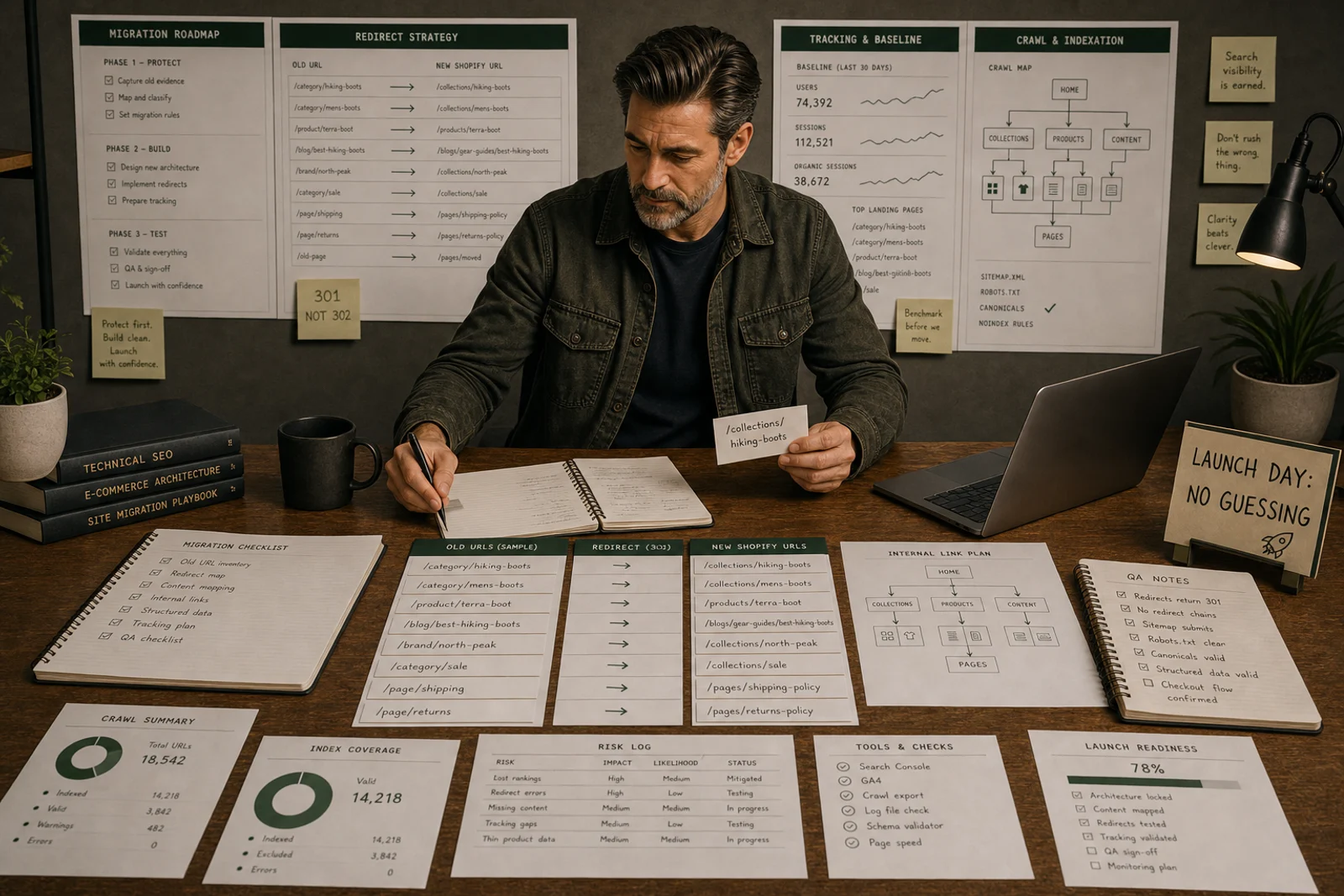
Clicks dropping is a signal
Search Console shows that Google’s view changed. It does not automatically tell you whether redirects, indexing, content or demand caused the change.
Separate page types
Collections, products, guides and old WordPress pages should be compared separately.
Query loss explains intent loss
Lost queries often show whether the new Shopify page no longer matches the old search job.
Search Console drops need URL-level diagnosis
A post-migration Search Console drop can look like one problem. It is rarely one problem.
Clicks may fall because old URLs were not redirected, new URLs are not indexed, collections are weaker, products lost evidence, internal links changed or demand shifted during the launch window.
Start by deciding what changed first:
- the old URLs disappeared
- the new URLs exist but attract weaker queries
- the clicks dropped while impressions held up
- Search Console moved one way and analytics moved another
That distinction usually tells you whether you are looking at redirects, indexation, replacement-page quality or measurement.
If you want a printable review sheet while you work through that split, download the Migration Redirect Risk Review.
Start with the shape of the loss
Different loss patterns suggest different first checks.
If old URLs still appear in Search Console but clicks fall sharply, check:
- title and snippet changes
- weaker page intent on the new destination
- demand shifts in the same period
If old URLs disappear and the new URLs barely appear, check:
- redirect behaviour
- noindex and canonical output
- crawl access
- sitemap inclusion
If new URLs are indexed but the query set is weaker, check:
- collection structure
- product evidence
- internal linking
- whether modifiers were pushed into filters instead of dedicated pages
If Search Console is broadly stable but analytics looks worse, check measurement before rewriting anything.
Compare old and new landing pages
Export pre-migration landing pages and post-migration landing pages. Group them by category, product, guide, blog, brand and support page. Then compare clicks, impressions, queries and indexed state.
Do not diagnose the whole site from the performance graph alone.
At minimum, your comparison table should include:
- old URL
- new URL
- old top queries
- new top queries
- old clicks and impressions
- new clicks and impressions
- redirect response
- indexed state
- page type
- likely next check
Query loss matters
If an old category ranked for “wide fit walking shoes” and the new collection is a generic “walking shoes” page, the redirect may work while the intent is lost. Search Console query data exposes that mismatch.
Example
Clicks drop for a group of old category pages. The new Shopify collections exist, but the old modifiers were collapsed into filters. The issue is not metadata. It is collection architecture.
Another common example:
An old WordPress guide ranked for comparison queries and linked into products. After migration, the guide redirects into a generic collection. Search Console shows the product URLs still live, but the comparison queries disappear. The loss is not “the site dropped”. The loss is that one page type no longer does the same job.
What usually changes the outcome
The stores that recover fastest usually do four things:
- isolate one failed page type instead of changing everything
- compare query loss, not just total clicks
- check redirect and index status before rewriting copy
- improve the replacement page that actually has to rank now
The stores that drift usually keep changing templates, metadata and apps before the diagnosis is stable.
What not to do
Do not rewrite all titles because clicks dropped. Do not compare total clicks without grouping URLs. Do not treat untrusted analytics as proof if Search Console says something different.
Safer next step
Build a lost-URL table with old URL, new URL, old queries, new indexed state, redirect response, destination quality and next fix.
When to stop diagnosing and start fixing
Diagnosis should be time-bounded. The stores that recover slowest spend too long comparing data before committing to fixes. A practical threshold: if the diagnostic work has taken more than five working days and the redirect and indexation picture is clear, that is enough information to begin.
The common reason stores stay in diagnosis too long is that they are waiting for data to become certain before acting. Post-migration data is rarely certain. Decide on the most likely explanation for the drop, make the highest-confidence fix to the most important page type, and observe whether Search Console performance improves over the following four to six weeks.
Recovery timeline by page type
Different page types recover at different rates, because they have different reasons for losing traffic and different complexity of fix.
Redirected pages with strong replacement quality typically recover within 4–8 weeks as Google processes the redirect chain, recrawls the new URL and reassigns the previous ranking signal. Recovery is faster when the replacement page is evidently stronger than the old version.
Collections with changed architecture recover more slowly, often 8–16 weeks, because the issue is not just a URL change but a change in search intent matching. Recovery requires improving the new collection to match or exceed the old one’s commercial intent signal.
Product pages recover at a speed that depends on whether product evidence was maintained or weakened during migration. Products that lost specifications, reviews, variant data or structured data may need content improvements before the page can recover previous positions.
Blog and guide content usually recovers if redirects are clean and the content is equivalent or stronger. Where content was simplified during migration, recovery requires restoring content depth.
Modifiers collapsed into filters do not recover automatically because the page structure has changed. The fix is to promote high-value modifiers back into dedicated collection pages.
Track recovery by page type in Search Console. Filter landing pages by URL pattern and compare month-over-month. Recovery is not linear, but a clear upward trend within one to three months of a clean redirect and indexation fix is a normal signal. Stores that continue to decline after eight weeks should return to the diagnosis to check whether a page-type issue was missed.
Quick answer
Protect search equity during a Shopify migration by turning the old site into an evidence map before URLs, templates or tracking change.
What you will do
- Know which old URLs must be protected.
- Build redirects before launch pressure starts.
- Keep metadata, analytics and Search Console evidence available after the move.
- Reduce the risk of avoidable traffic loss.
What to check first
- Crawler export for the old site and Shopify staging site.
- Google Search Console page, query and indexing exports.
- GA4 annotations and landing-page reports.
- Shopify URL redirects.
- Redirect Mapping Sheet, Migration QA Checklist and Post-Migration Monitoring Sheet.
Work through it in this order
- Crawl the current site and export all indexable URLs.
- Export Search Console pages and queries for at least the last 16 months where available.
- Tag each old URL as protect, merge, replace, retire or investigate.
- Map protected URLs to the closest Shopify destination before launch.
- Copy or improve critical titles, descriptions, headings, content blocks and internal links.
- Test redirects, canonicals, sitemap output, robots rules and tracking on staging.
- Monitor Search Console, analytics and 404 logs for four weeks after launch.
Real-world notes
- The most common failure is redirecting old category URLs to the homepage because the Shopify collection structure was not ready.
- Traffic drops often look like ranking problems when the real issue is missing tracking, missing redirects or changed internal links.
- Blog URLs are easy to ignore during ecommerce migrations, but they often carry internal links and long-tail traffic.
Final checks
- Old URL crawl saved.
- Search Console export saved.
- Top landing pages mapped.
- Redirects uploaded and tested.
- Metadata for priority pages reviewed.
- Analytics and conversion tracking checked.
- Post-launch monitoring owner assigned.
Watch-outs
- If the old site has faceted URLs indexed, decide which should become Shopify collections and which should be retired.
- If products are discontinued during migration, redirect only where the replacement is genuinely useful.
- If the domain changes as well as the platform, follow a stricter site-move process and expect a longer stabilisation period.
Download the Migration Risk Kit or request an audit if organic revenue, product count or URL complexity is high.
Field questions
What is the first check for a Shopify migration Search Console drop?
Start with the affected URLs and page types, then compare crawl access, redirects, indexation, content strength and trusted measurement before changing pages.
Should I rewrite content first?
Usually no. Rewriting content before URL, indexation, tracking or page-type evidence is trusted can hide the real issue.
What data should I keep?
Keep the URL list, Search Console landing pages, analytics baselines, revenue pages, backlinks, crawl exports, redirects and launch notes.
Can this affect AI visibility?
Yes. AI-shaped discovery is more likely to reflect confusion when URLs, categories, product evidence and merchant data are inconsistent.
When should this be reviewed?
Review it before launch, immediately after launch, and again when Search Console has enough new data to show whether important pages are recovering.
What is the common mistake?
The common mistake is treating a symptom as the cause and making broad changes before the failed page type has been isolated.